A time grid for ikhal
published:
I keep my calendar in khal. Its interactive UI, ikhal, shows a month
calendar on the left and the selected day's events as a list on the right:
09:00-09:15 Standup
10:00-11:30 Design review
11:30-12:00 Deploy window
14:00-15:00 1:1 with manager
A list tells me what's on, but not where the gaps are. To answer "do I have two free hours this afternoon?" I have to do the arithmetic myself.
tuikhal by Noel R already draws khal events as a grid, and it's good. But it's a separate viewer, so I'd spot a gap in tuikhal and then switch to ikhal to do anything about it. I wanted ikhal's right pane drawn as a grid instead.
I didn't write this code. I described what I wanted to Claude Code and reviewed what came back. Claude Code wrote the patch, the tests, the container setup and the PKGBUILD.
What it does
In ikhal, g toggles the event pane between the list and a time grid, and
w switches between a day and a week. j/k move between blocks the way
they move between list rows, and the selected block is a normal khal event:
enter views it, e edits it, d deletes it. The month calendar follows
the selection.
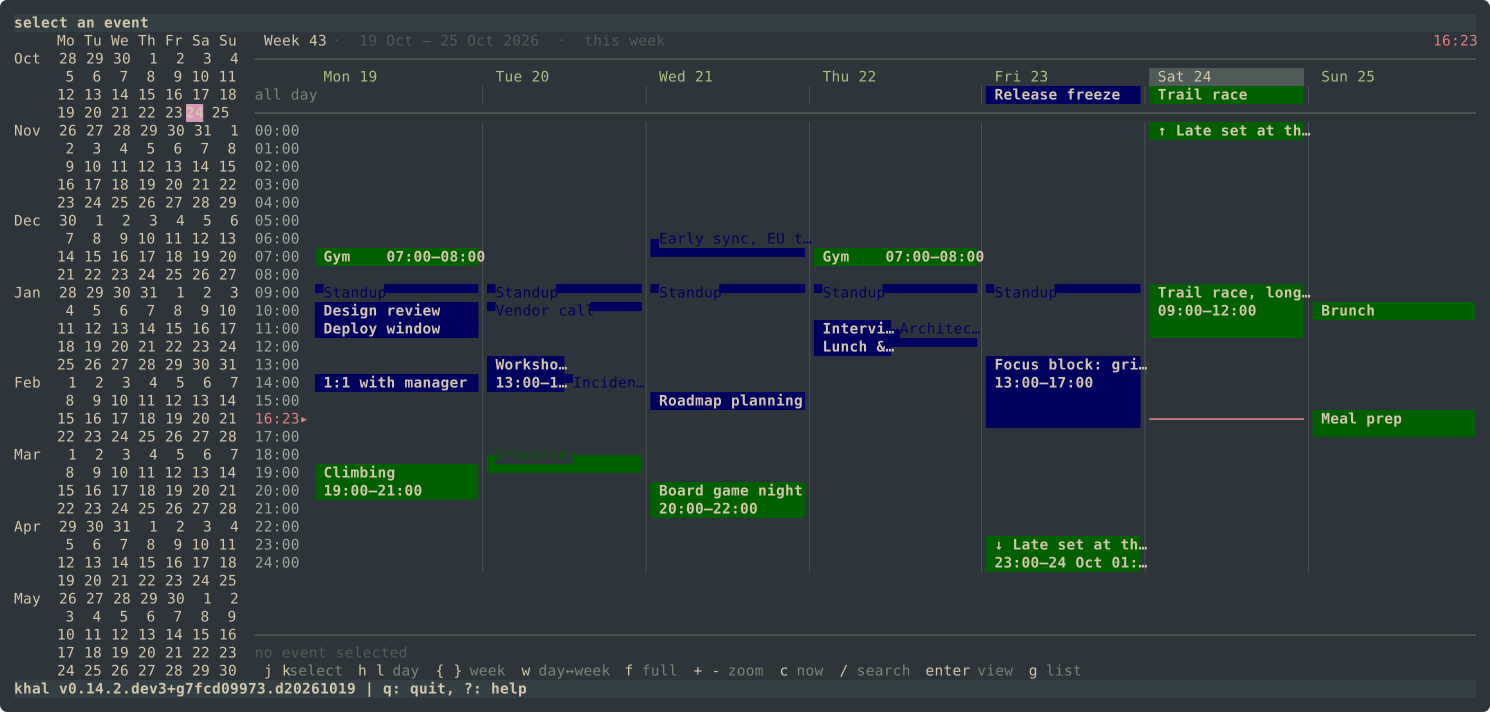
Some details:
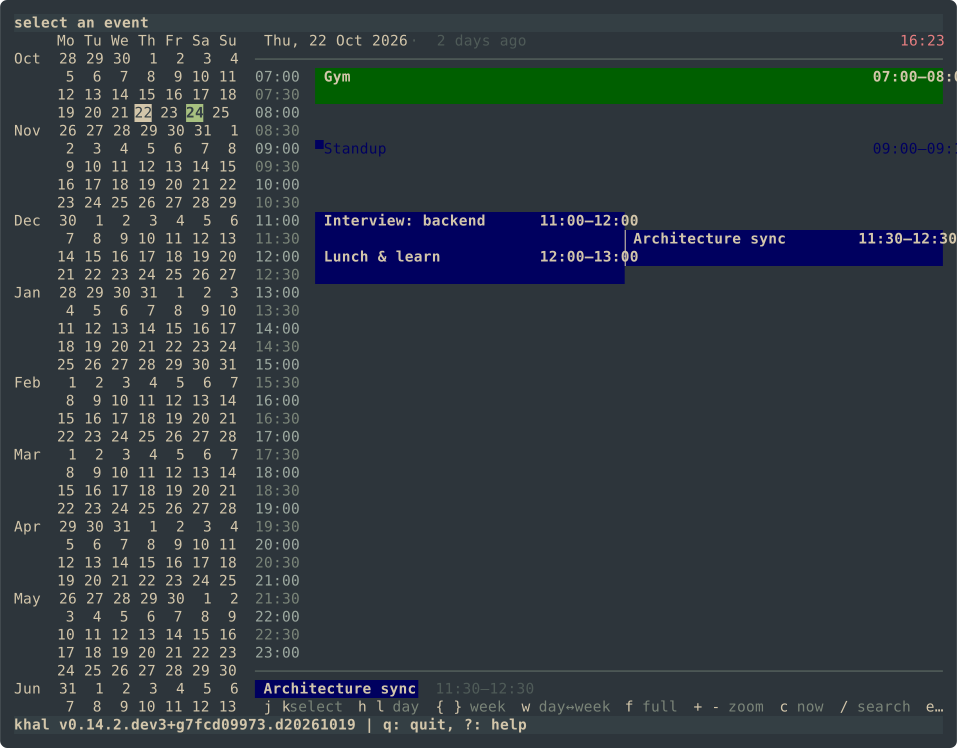
- Sub-row resolution. Each row covers a configurable number of minutes.
The half-block characters
▀and▄split each row in two, so a 15-minute event still lands on a 30-minute grid. - Back-to-back events. When one event ends and another starts in the same cell, the cell uses one calendar's colour as foreground and the other's as background, so neither overwrites the other.
- Overlaps are laid out side by side.
- Colours. khal's calendar colours are meant for text. The patch maps each
one to a darker 256-colour background for blocks. The current-time line
keeps the block's colour behind it instead of cutting through the event.
Labels, separators and the clock are themed through ordinary
[palette]entries. - Week view. Starts on
[locale] firstweekday. The time axis defaults to 07:00–23:00 but stretches to fit early or late events.h/lmove by day and roll over into the next or previous week.
How it's packaged
- A patch, not a fork. The repo holds
gridview.patchand abootstrap.shthat clones upstream khal at a pinned commit and applies it. Updating means rebasing a diff, and it's already in the shape of a pull request. - Development in a container.
./run.shruns ikhal from the working tree in a podman container;./run.sh testruns the 74 gridview tests. Nothing gets installed on the host. - An Arch package. The
PKGBUILDbuilds from the pinned commit plus the patch, runs khal's test suite, and installs askhal-gridviewwithprovides=(khal)andconflicts=(khal).pacman -S extra/khalputs the stock package back.
One upstream test is skipped: test_convert_to_date fails on stock khal with
urwid 4.2.3 and later, and Arch ships 4.2.5. Claude Code bisected urwid
against an unpatched checkout to confirm the failure has nothing to do with
the patch.
Known problem
Events shorter than a row are drawn as coloured half-blocks on the terminal background. With a dark theme and a dark calendar colour, a 15-minute standup is hard to see. The fix is a brighter shade per calendar for those cells.
The code is at khal-gridview. The patch is one file if you'd rather just read the diff.